

POST https://api.onlysq.ru/ai/imagen
Generates an image based on the user's description.
Starting with patch 4.0.1 (November 29, 2025), every request to v2/imagen must have Authorization header
{"Authorization": "Bearer apikey"}Basic API key is openai
Request
This endpoint expects an object.
model string Required
The name of a OnlySq AI model which will process the request
prompt string Required
A request to the model describing items, landscapes, and other elements that the user wishes to see in the image.
ratio string Optional
Aspect ratio of the requested image. Must be one of: 1:1, 16:9, 21:9, 3:2, 2:3, 4:5, 5:4, 3:4, 4:3, 9:16, 9:21.
Default: 1:1
Response
id string
Unique identifier for the generated reply. Useful for submitting feedback.
created int
Timestamp in UNIX format.
model string
The model that processed the request.
files list
The list contains images encoded in base64 utf-8 strings.
size dict
Contains:
widthintCount of width pixels.
heightintCount of height pixels.
elapsed-time float
Time spent on generation. Can be translated into another format, such as elapsed_time:.2f
usage int
Improvised token counter based on image height and width.
user int
Unique of user by API key. Useful for submitting feedback.
Examples
Request examples
The simplest request example:
import requests, base64
h = {"Authorization": "Bearer openai"}
j = {
	"model": "flux",
	"prompt": "cat on a blue water wave",
	"ratio":"16:9"
}

r = requests.post("https://api.onlysq.ru/ai/imagen", json=j, headers=h)
r.raise_for_status()
c = r.json()

with open('pic.png', 'wb') as f:
	f.write(base64.b64decode(c["files"][0]))

print("Image saved successfully")
Executing one of the presented examples will save the image of the cat to the file pic.png.
Response example
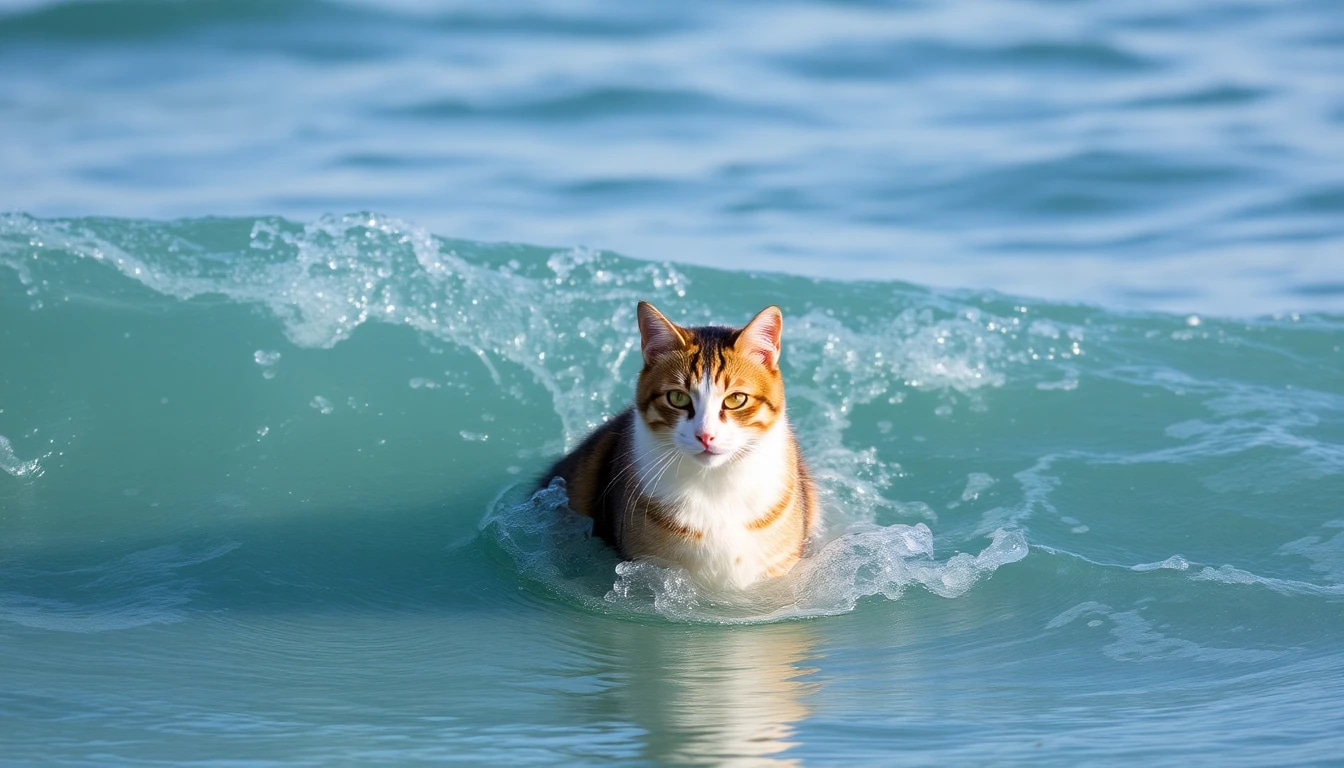
{
    "id": "imagen_u1nW43V9wAaWenrHifdqkzxSLNWIpXLVBMzJ4fnBsyNMx94w",
    "created": 1753881206,
    "model": "flux",
    "files": ["base64"],
    "ratio": "16:9",
    "elapsed-time": 3.20550274848938,
    "usage": 152,
    "user": 0
}